

· 4 min read
How to implement the mandatory “withdrawal button” in online stores?
In our previous article, we took a detailed look at what the new European legislation involves and why you will soon need an online form and a button for easy returns. If you run an online store on WooCommerce, the deadline of 19 June 2026 is fast approaching. But how do you turn this obligation from legal paragraphs into working code and processes on your website?
What must the technical solution of an online store be able to do?
Simply “sticking” a static contact form on your website is not enough. The system must meet five key conditions:
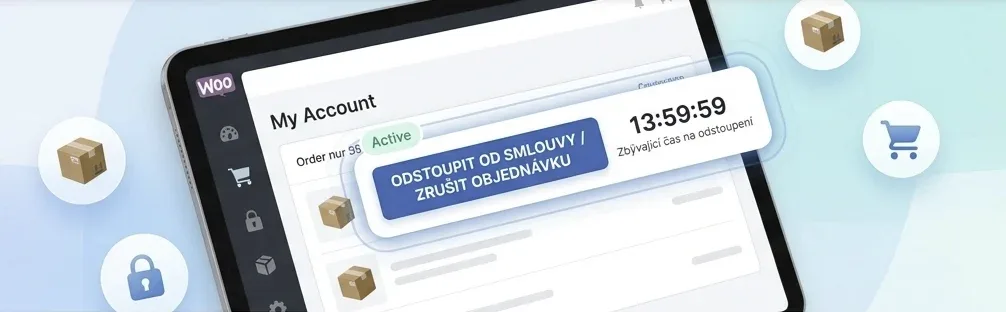
- Precise wording: No confusing labels. The button must clearly say “Withdraw from the contract” or “Cancel the order”. A mere icon or a “Write to us” text won’t do.
- Automatic tracking of the 14-day period: The button may only be shown in the customer’s account for the statutory period (normally 14 days from receiving the goods). Once the period expires, the option of digital withdrawal must disappear automatically.
- Two-step process: To prevent accidental clicks, the process must be split into two steps. In the first step, the customer specifies the details (e.g. which products from the order they are returning and how many), in the second step they consciously confirm the action.
- Available to registered and unregistered customers: The button must be easy to find in the customer section Order details. For unregistered customers, it is ideal to generate a direct and secure link in the order completion e-mail.
- Immediate e-mail confirmation: As soon as the customer submits the form, the system must immediately send them an automatic e-mail confirming receipt of the request. The e-mail must contain a complete summary of what they filled in, including the exact date and time of submission.
3 ways to implement the button
Depending on your budget and the current setup of your website, you basically have three options for dealing with the new obligation.
A) Using localised e-commerce plugins
Most robust add-ons have already implemented specialised modules for “Withdrawals and complaints”. You just need to activate them and insert the code on a newly created subpage. Deadlines and e-mail templates can be the tricky part.
B) Single-purpose third-party plugins
If you don’t want to install large feature packages and are looking for a purely single-purpose tool, specialised plugins designed solely for this legislative button are appearing on the market. These plugins only handle the return process and put minimal load on the system, but their implementation can be more complicated, as order and payment history has to be kept.
C) Custom development
If your WooCommerce is heavily customised, you use an unusual delivery process or your client zone is connected to an external ERP/accounting system (e.g. Pohoda, Money S3), the best route will be a custom modification by your developer. They will make sure that the withdrawal information is automatically passed straight into your internal system to the warehouse staff.
Don’t forget: The button on the website is only half the job
The technical implementation in WooCommerce is key, but on its own it won’t protect you from a fine. Hand in hand with it, you need to adjust other things too:
- Update your Terms and Conditions: Your terms must now describe exactly where customers can find this online button and how the whole digital return process works.
- Beware of the penalty extension of the period: If you did not properly inform the customer about the right of withdrawal before the purchase, the period is extended from 14 days to 1 year and 14 days – and you would have to keep the button active for the order throughout that time.
- Prepare your logistics: Once the customer clicks the button, you have the information in the system, but the physical parcel is only on its way. Your warehouse must be ready to match these digital requests with incoming shipments. This can be a challenge for many stores, so a unified system can only help, especially in an environment you know well.
Do you need this feature implemented in your website or application? Don’t leave the technical implementation until the last minute. We will make sure your solution is fully functional and meets all the new requirements of the European directive.
The MindBe Team
Source: The article is based on an expert article on e-legal.cz (in Czech)